docs.semactic › MCP
Connect Semactic to Claude
Connect the Semactic MCP server to Claude in a few steps. Once connected, Semactic tools are available in your Claude conversations: you query your SEO and GEO data in plain language.
Before you start
- The MCP server requires the MCP add-on on your Semactic account.
- You need your Semactic API key: it is on the Semactic API card of the Integration page. See Semactic API and MCP server.
[!NOTE] Adding a custom connector may be restricted by your Claude plan or by your organization's administrator. If Add custom connector does not appear, ask the owner of your Claude workspace.
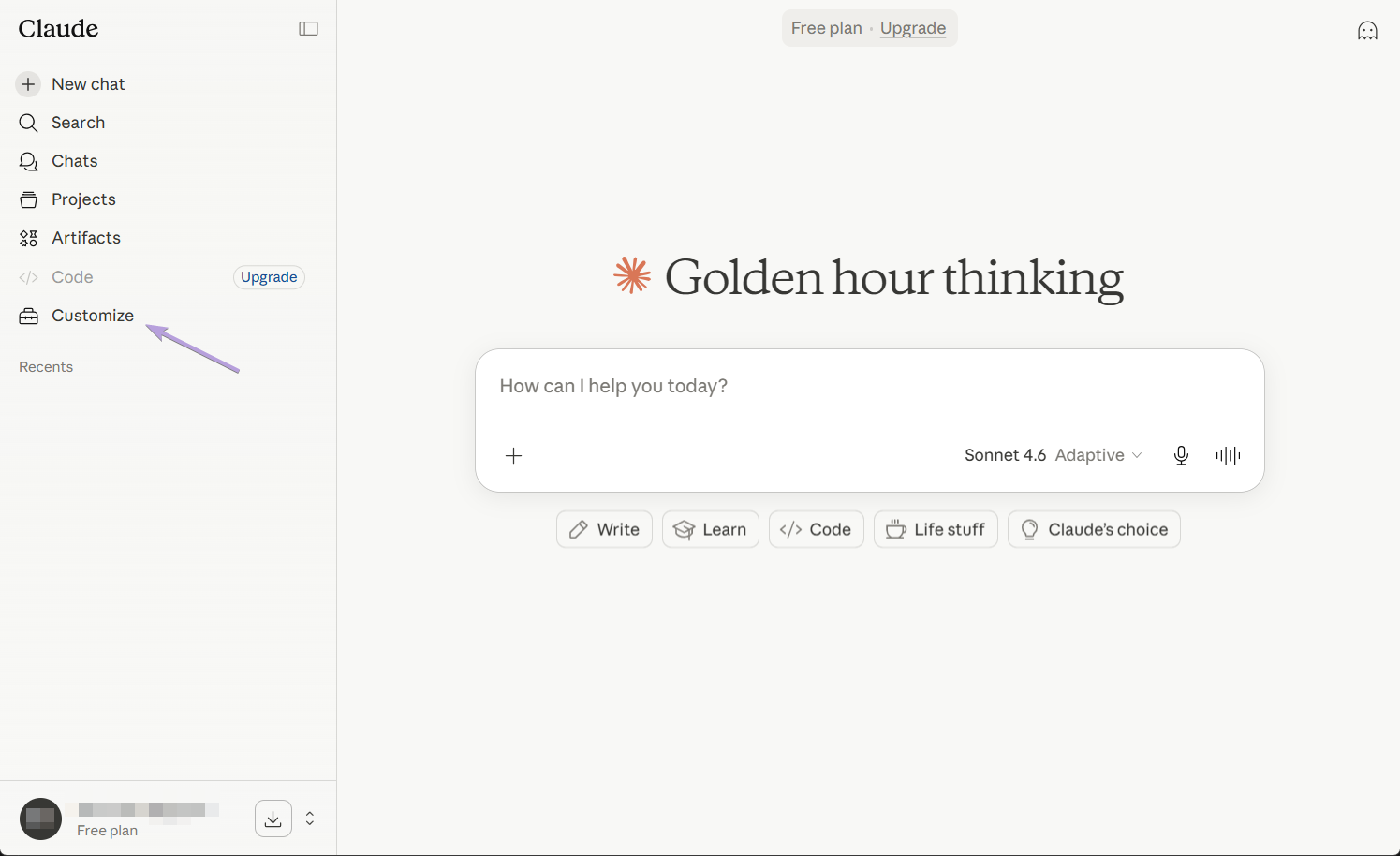
Step 1 — Open Customize
In Claude's left sidebar, click Customize.
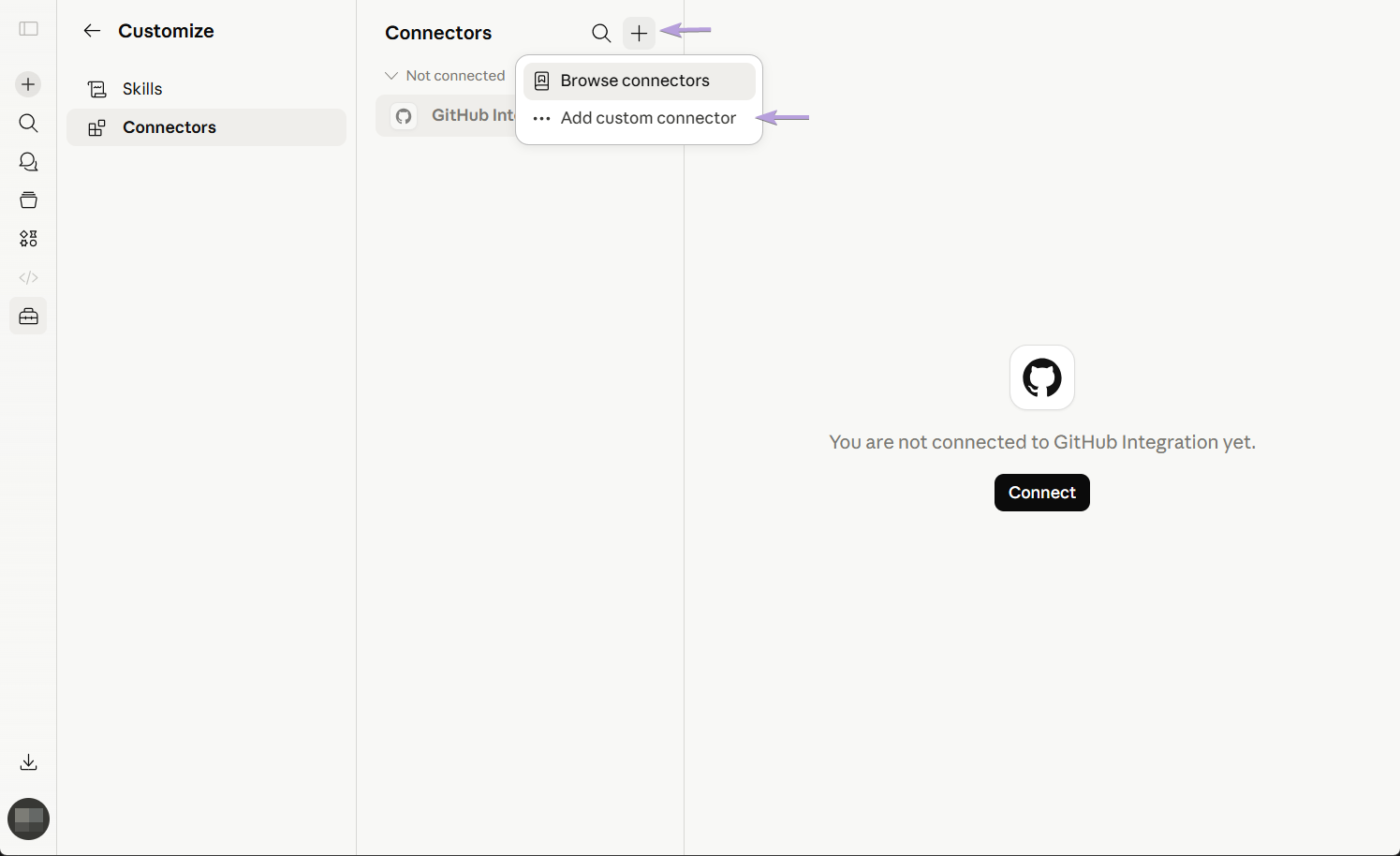
Step 2 — Add a custom connector
Open the Connectors tab, click the + button, then choose Add custom connector.
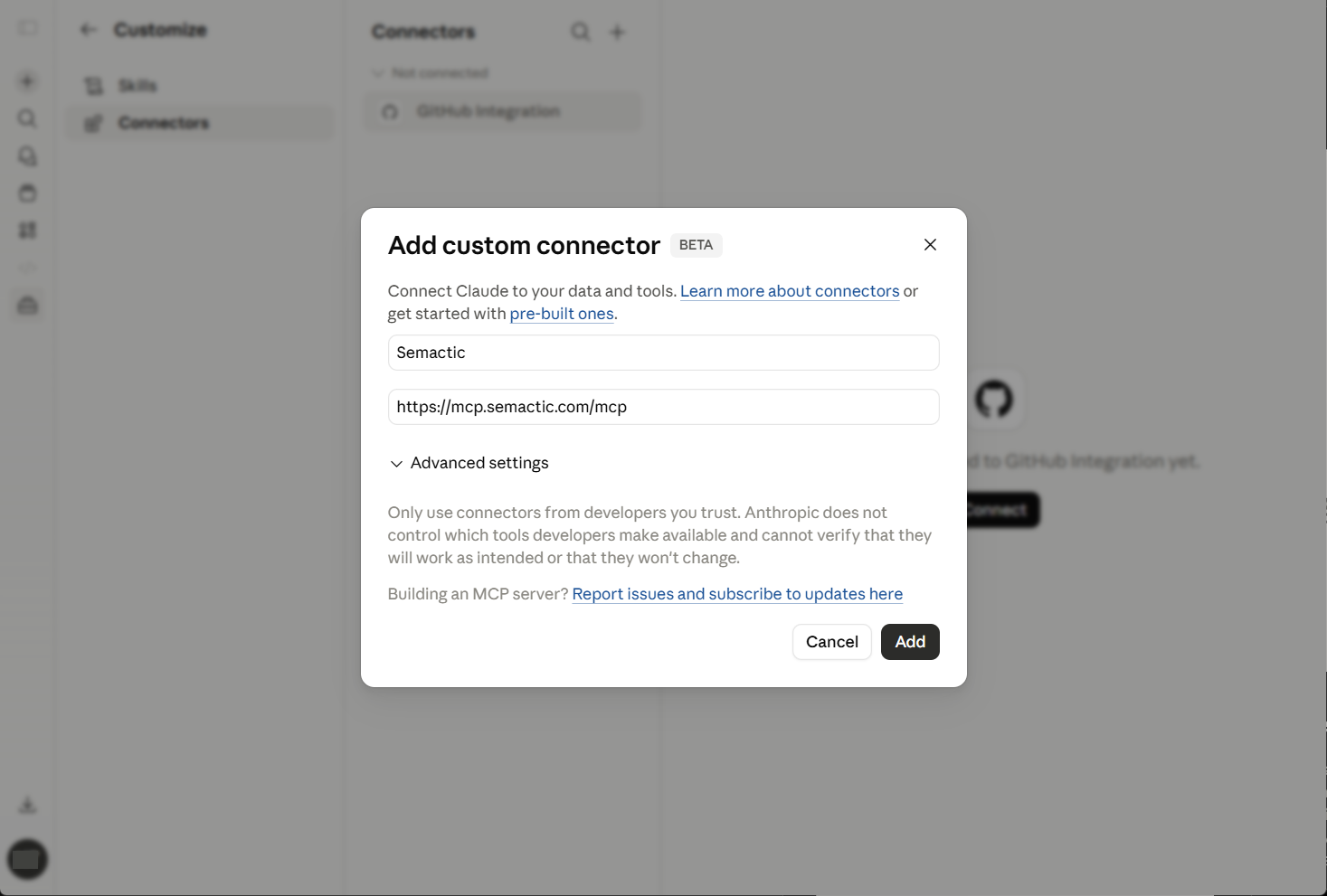
Step 3 — Fill in the connector
Enter Semactic as the name and paste the MCP server URL in the Remote MCP server URL field, then click Add.
https://mcp.semactic.com/mcp
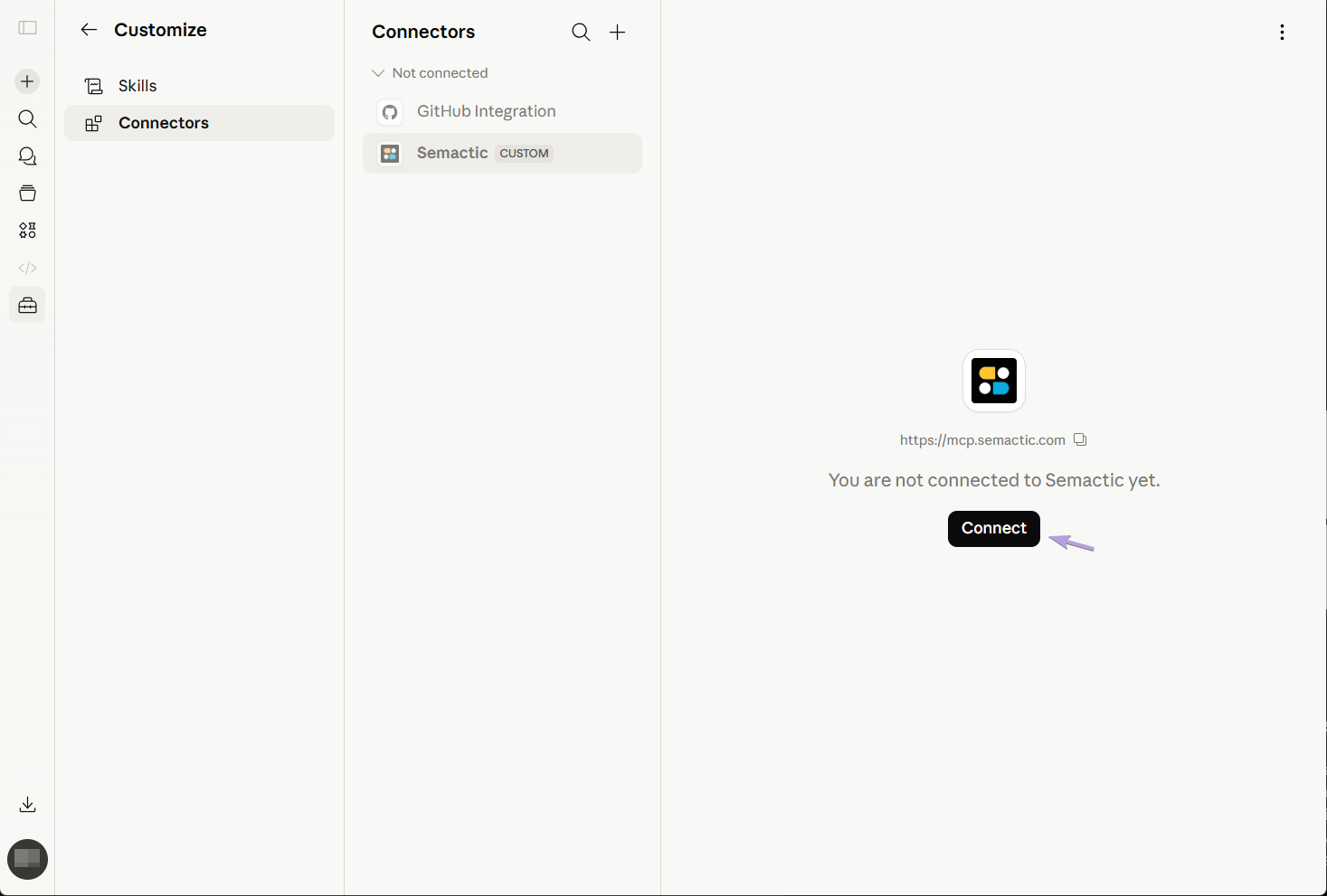
Step 4 — Connect
Semactic appears in the Not connected list. Click it, then click Connect.
Step 5 — Enter your API key and authorize
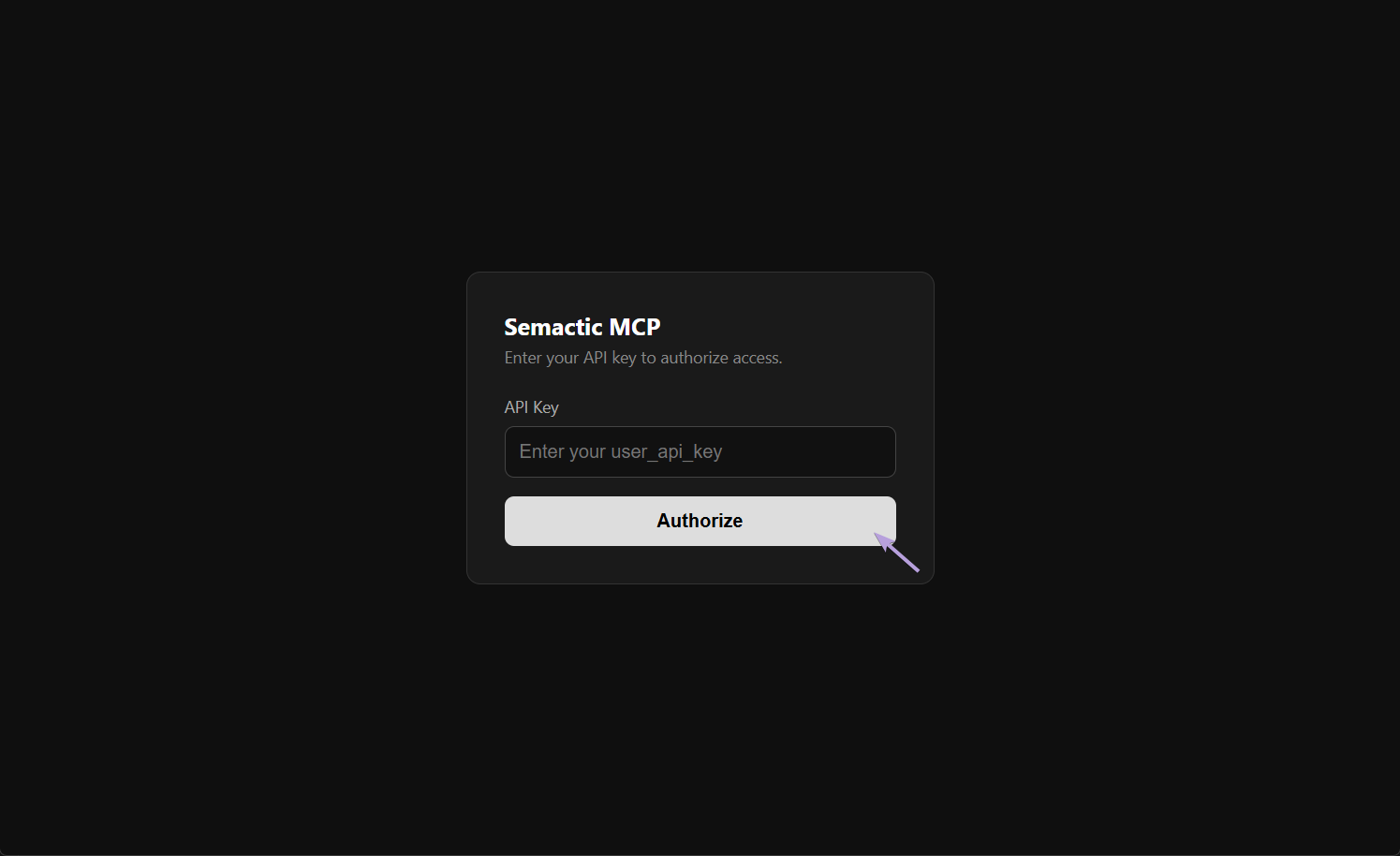
The Semactic MCP authorization page opens. Paste your API key in the API Key field and click Authorize.
Step 6 — Check the connection
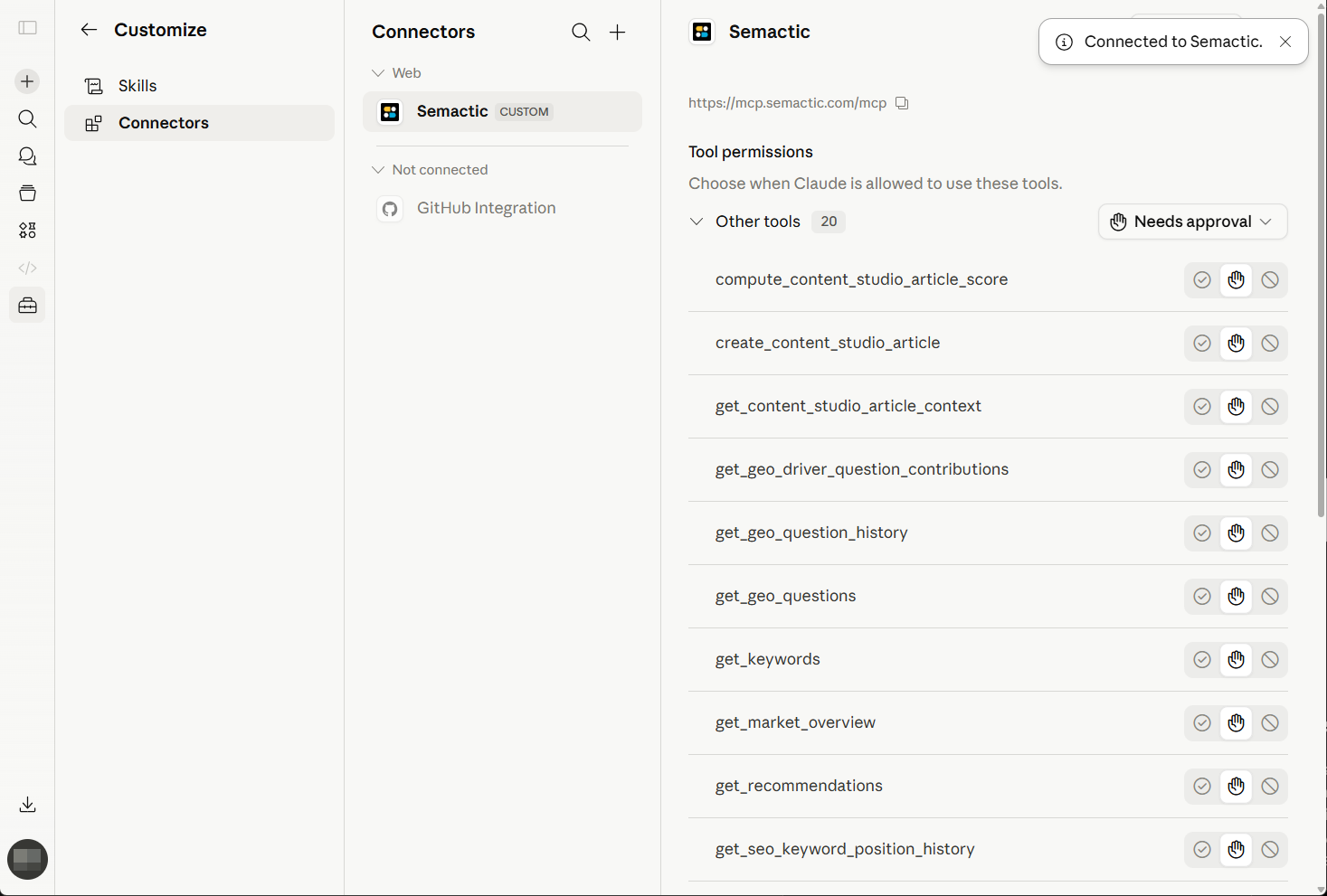
Semactic moves to the list of connected connectors and its tools are available in your Claude conversations. Try for example: "Which keywords gained the most this month?"
Troubleshooting
| Problem | What to check |
|---|---|
| Add custom connector is missing | Your Claude plan or workspace may not allow custom connectors. Ask the workspace owner. |
| "Invalid API key." on the authorization page | Copy the key again from the Semactic API card. If the key was refreshed, the old one no longer works. |
| Semactic stays in Not connected | Remove the connector and add it again from step 2. |
| Answers are about another market | Name the market, domain or country in your question. |
For an AI agent or a command-line MCP client, see Connect Semactic to an agent or another MCP client.